Method 1: How to Cancel FitMe Subscription via Web Profile
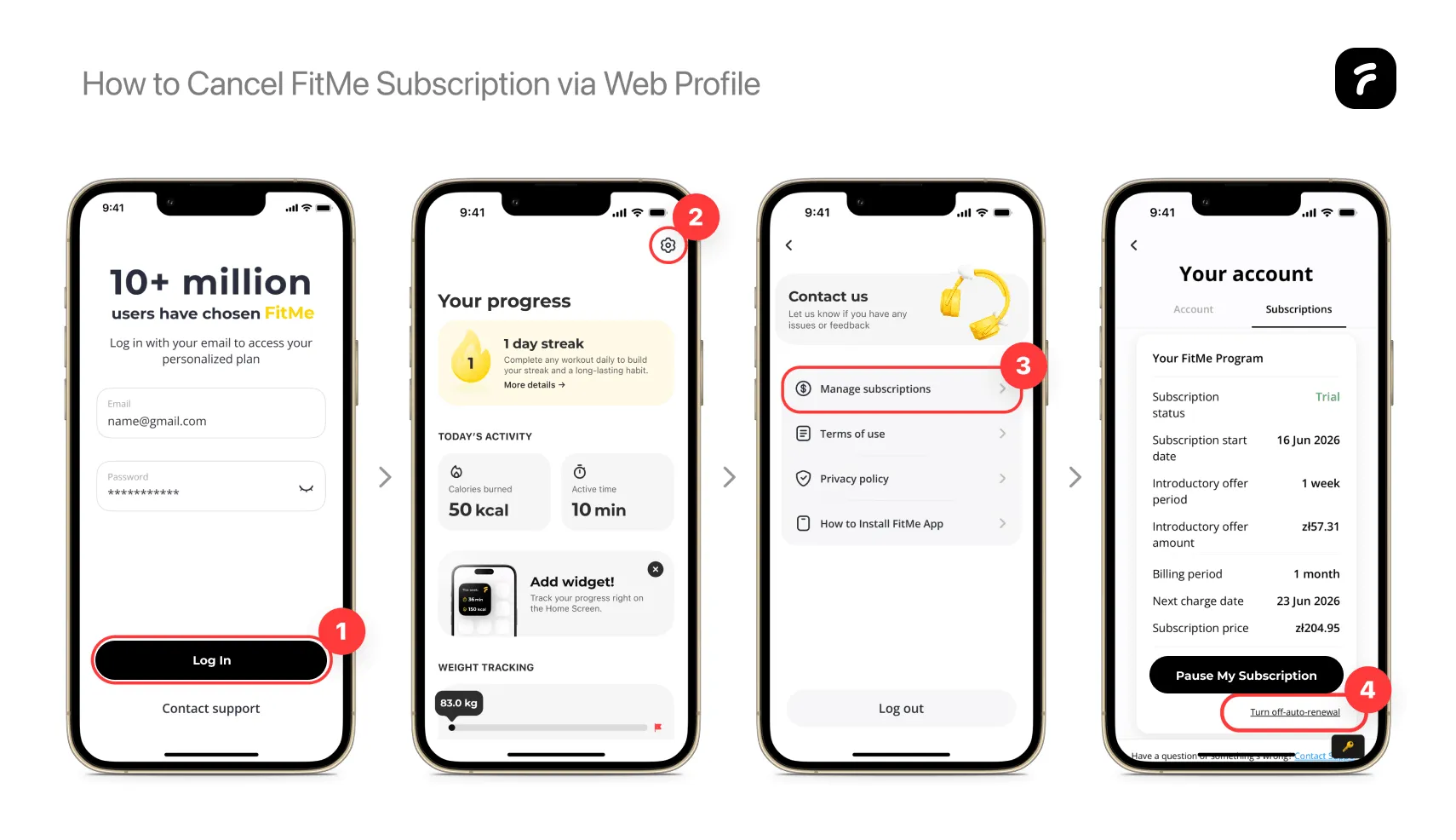
If you signed up for your fitness program directly through our official website funnel, your billing is managed through our secure web platform. Follow these steps to cancel FitMe directly from any desktop or mobile browser:
- Step 1: Launch a web browser and navigate to account.fitme.health/login.
- Step 2: To log in, enter the email address and password for your account.
- Step 3: In your personal dashboard, click the Subscriptions tab.
- Step 4: To cancel your subscription, click the "Turn off auto-renewal" button.
This completes FitMe turn off auto renewal.
You can manage your subscription at account.fitme.health/login .
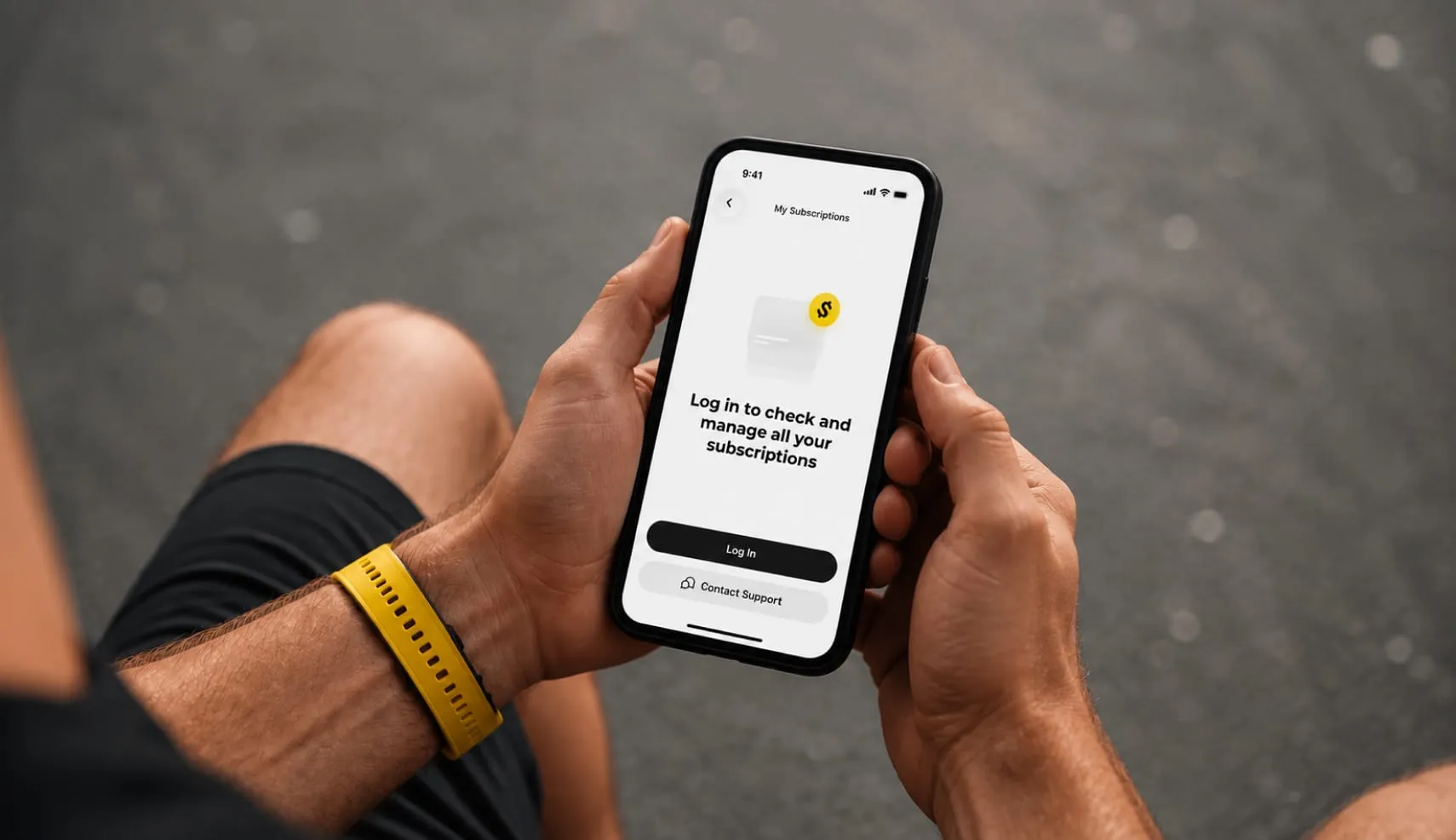
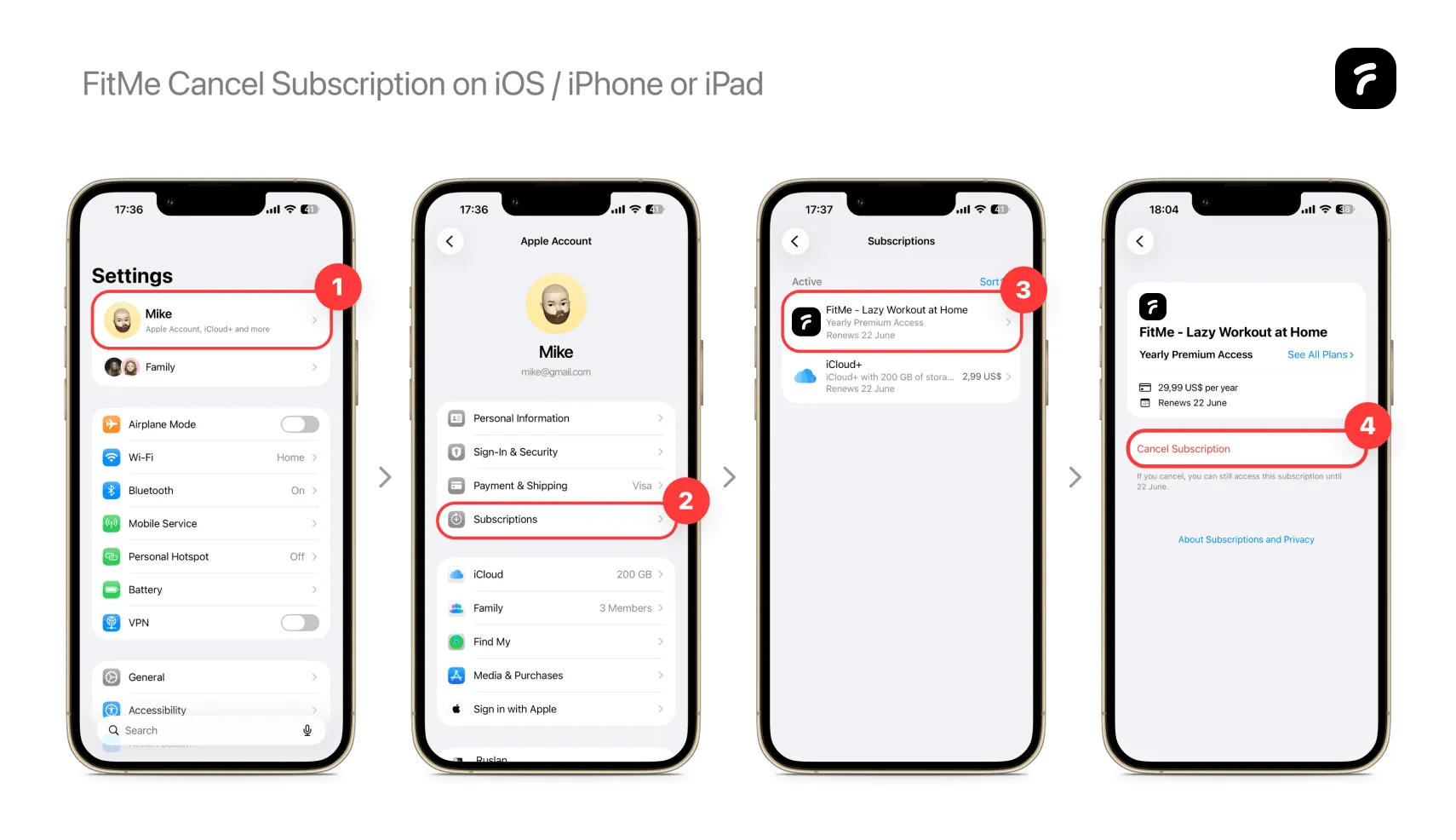
Method 2: FitMe Cancel Subscription on iOS / iPhone or iPad
If you subscribed through the App Store, Apple handles your billing. You can easily cancel FitMe subscription directly through the App Store:
- Step 1: Open the Settings application on your iPhone or iPad.
- Step 2: Tap on your Name / Apple ID profile icon located at the very top of the main menu screen.
- Step 3: Locate and tap the Subscriptions option from the list.
- Step 4: Scroll through your active digital services and tap on the FitMe app icon.
- Step 5: Confirm your decision by clicking the Cancel Subscription button located at the bottom of the screen.
Note for trial users: To avoid automatic billing while testing the platform, you can use these exact steps to stop your promotional trial before it converts into a paid plan.
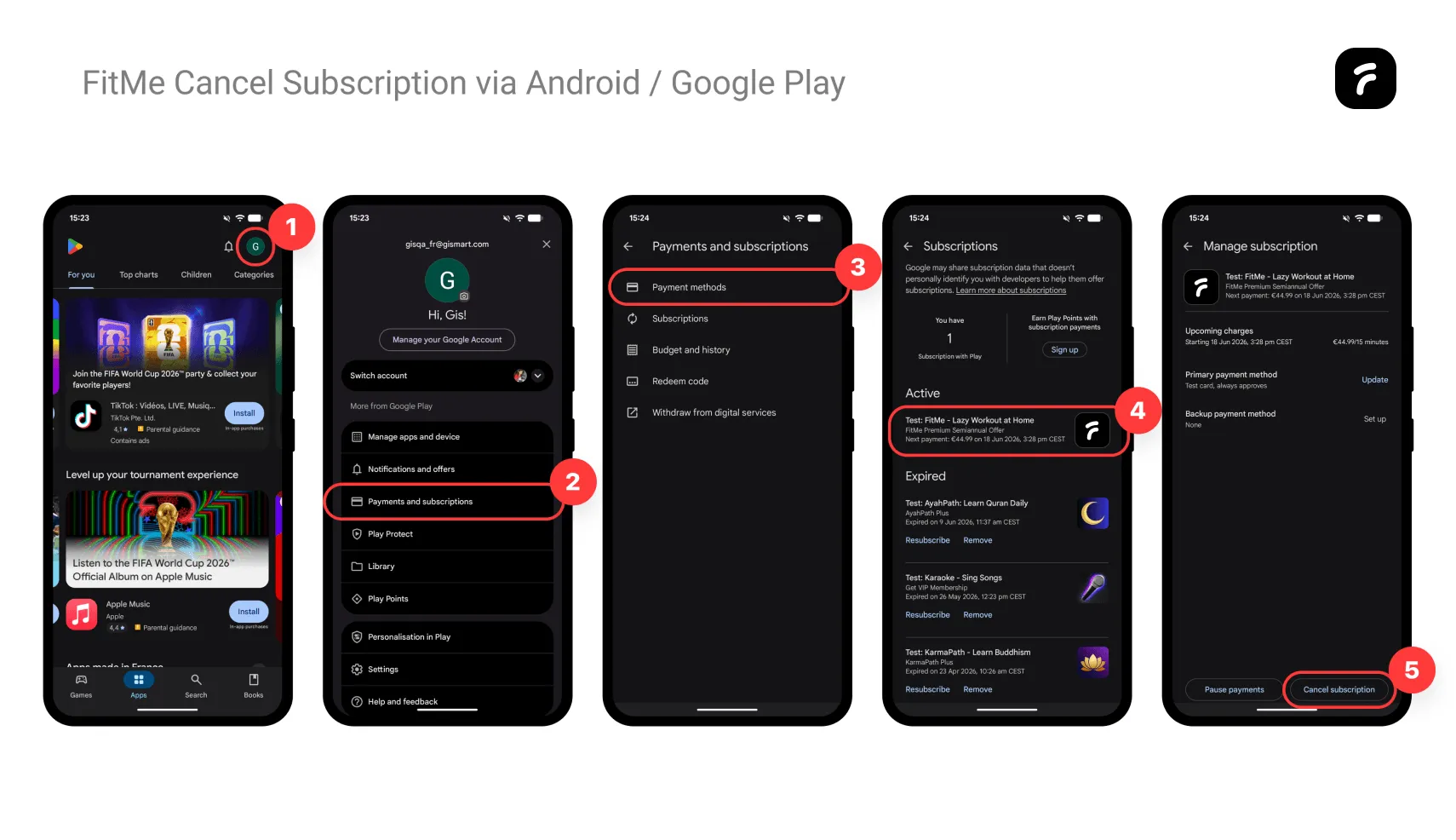
Method 3: FitMe Cancel Subscription via Android / Google Play
If you signed up using an Android device, your billing is handled by Google. You can easily cancel FitMe subscription directly through the Google Play Store:
- Step 1: Open the Google Play Store app on your device.
- Step 2: Tap your profile icon in the top-right corner.
- Step 3: Tap Payments & subscriptions, then select Subscriptions.
- Step 4: Find FitMe on the list and tap it.
- Step 5: Tap Cancel subscription at the bottom and follow the quick steps to confirm.
If you also need help looking into a refund for a recent payment, we've outlined our simple guidelines below.
Cancel Before the Free Trial Ends
To avoid unexpected charges, please turn off auto-renewal at least 24 hours before your trial ends. Billing systems often process payments a day early to keep things running smoothly, and we don't want you to be caught off guard. We suggest checking your welcome email for your exact sign-up time and setting a quick calendar reminder. This way, you can explore the app completely stress-free.
How to Get a FitMe Refund
Eligibility Rules
Refund options apply specifically to short-term introductory plans. You qualify for a refund if you started with our 7-day trial plan. Your account must have automatically renewed for the first recurring subscription period.
This policy applies exclusively to your initial introductory subscription and the first automatic renewal associated with it. Regular monthly renewals do not qualify for a refund. Additional promotional offers are also excluded from this policy. Furthermore, this promotional refund policy may be used only once per customer, to the extent permitted by applicable law. This refund policy is in addition to, and does not limit, any mandatory consumer rights available under applicable law. We reserve the right to verify eligibility before issuing any refund.
Refund Amounts and Details
An approved refund covers the amount actually paid for the eligible introductory subscription and the first automatic renewal.
Approved refunds will be initiated using the original payment method. The time required for funds to appear in your account depends on your payment provider, bank, or app marketplace.
How to Submit Your Request
You must complete a formal inquiry form to request your FitMe refund. This form is located on our website portal at account.fitme.health/contact-form.
Please provide your registered account email, include the exact date of your last charge, and add a brief note explaining your situation. This information helps our team review your account details quickly. Our goal is to keep your experience with FitMe clear and fair from start to finish.
Submit a refund request through our contact form .
What Happens After Cancellation?
Once you cancel, you will keep full access to all workouts and guides until your paid period ends. We also save your progress, so your history and logs won't disappear right away. If you ever want to permanently delete your personal data, just send our support team a quick message and we'll handle it for you.